Creating an NRAPA account takes a couple of minutes. You'll need your name, a valid email address, and a South African mobile number.
-
Open the NRAPA website
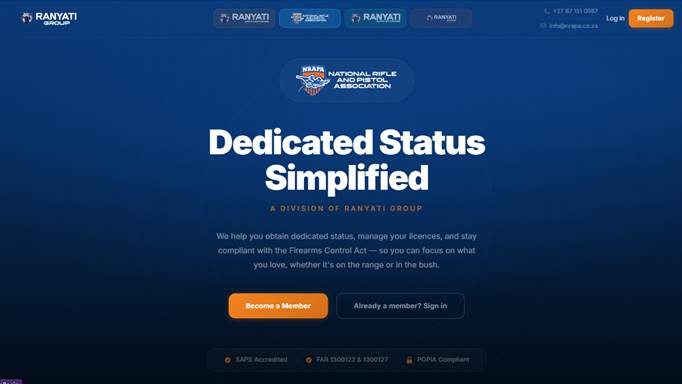
Go to your web browser and navigate to nrapa.ranyati.co.za.
-
Click “Register”
In the top right-hand corner of the website, click Register (or Become a Member) to open the sign-up form.
-
Enter your details
Complete the registration form:
- Full name — your name as it should appear on your membership.
- Email address — a valid address you can access (used to log in and for verification).
- Phone number — your South African mobile number (10 digits, starting with 0).
-
Choose a strong password
Enter and confirm a password that meets all the requirements:
- At least 12 characters
- Upper and lowercase letters
- At least one number
- At least one symbol (e.g. ! @ # $ % ^ & *)
Then click Create account.
-
Verify your email address
We'll send a verification link to the email address you registered with. Open that email and click the link to confirm your address — you can do this on any device. Once verified, you can log in and continue setting up your membership.
Didn't get the email?
Check your spam or junk folder. If it still hasn't arrived, you can request a new verification link from the prompt shown after logging in.
What's next?
After signing up and verifying your email, the next steps are choosing your membership package and uploading your proof of payment. See the Upload proof of payment guide once you're logged in.